Time recording on Cloud - MTZ® Smart Time on Cloud
With MTZ® Smart Time on Cloud, we offer you flexible and convenient time recording as “software as a service” – without high acquisition costs or your own server infrastructure. You work conveniently via browser, smartphone or tablet via an encrypted connection to the software application.
- Online time booking
Cloud-based personnel time recording
MTZ® Smart Time on Cloud is a cloud-based software application for personnel time recording. Your employees’ working hours can be flexibly recorded and planned. Numerous working time models are available for part-time and full-time employees.
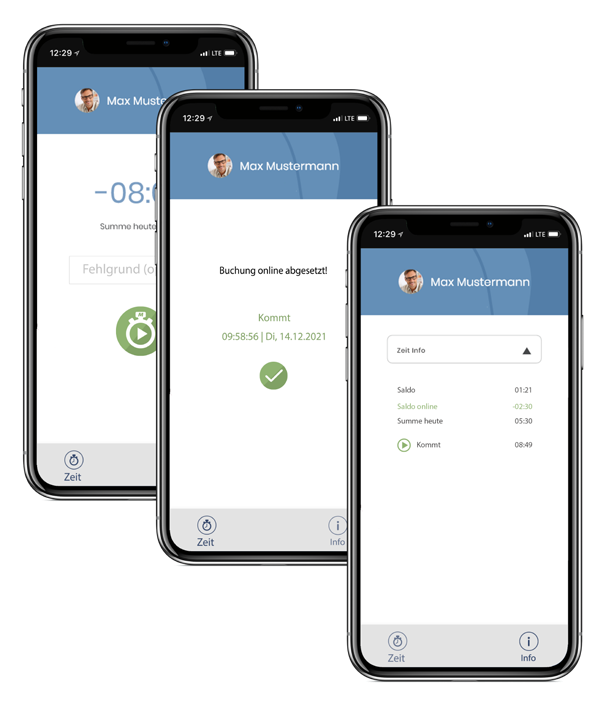
All your employees need is access to a PC or a mobile device (iOS/Android). This allows them to make their time bookings either directly in MTZ® Smart Time via a browser or via our MTZ® Time App. In addition to the monthly ledger and the team calendar, they can also access their own working time history.
- MTZ® Smart Time on Cloud range of features
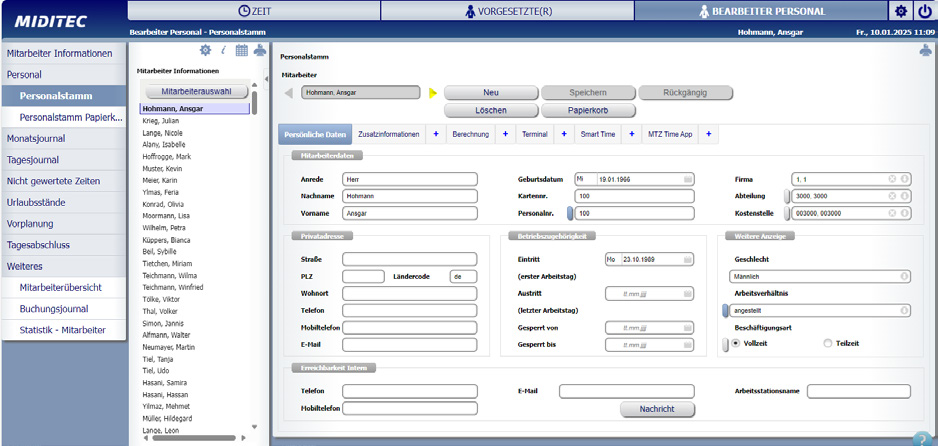
"Employee profiles" in the editor profile
Basic working and absence times are calculated automatically and, if required, transferred to your payroll service provider via a suitable payroll interface. Clear daily, monthly or annual views provide a quick overview and the option to make manual corrections.
- MTZ® Smart Time on Cloud range of features
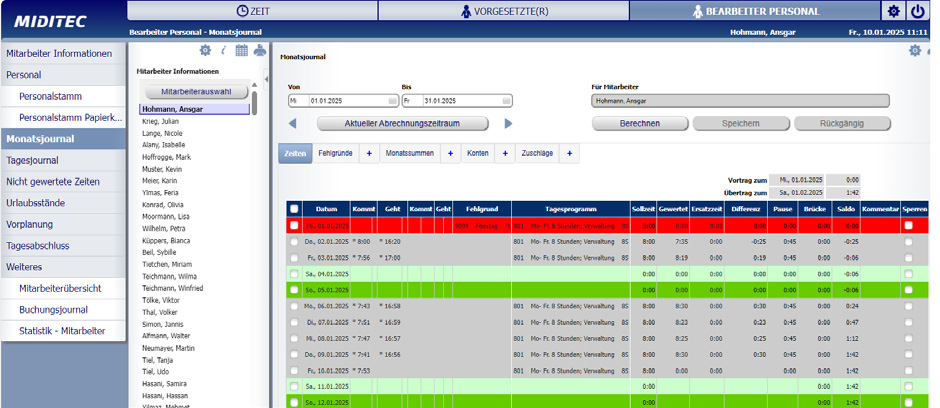
"Monthly ledger" in the editor profile
Supervisors receive transparency and a planning overview. For example, the personnel situation in the area of responsibility is shown at the desired times. In addition, corrections can be made directly to the entries made by employees or requests can be processed.
- MTZ® Smart Time on Cloud range of features
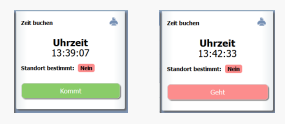
Clock-in and clock-out booking via browser
Clock-in and clock-out bookings can be made directly via the browser. All your employee needs is a PC, laptop, tablet or smartphone with internet access.
- MTZ® Smart Time on Cloud range of features
Booking via MTZ® Time App
Bookings can also be made conveniently via mobile devices (iOS/Android) using our MTZ® Time app.
- MTZ® Smart Time on Cloud range of features
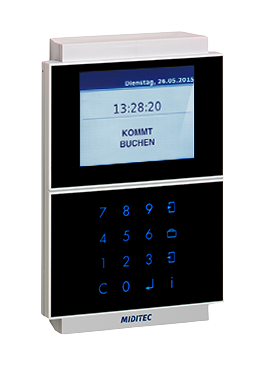
Time booking at the terminal
In addition, time recording terminals can be integrated into your IT infrastructure via LAN to enable employee time bookings via RFID transponders.
- MTZ® Smart Time on Cloud range of features
Interfaces
With the MTZ® Payroll on Cloud option, you can seamlessly integrate all common payroll programs such as Datev, Loga or Paisy – with flexible transfer intervals.
All functions of our Staff Time Recording On Cloud
Minimal processing effort for the editor
Installed standard time models (0:00 to 24:00) for temporary staff, overtime, flexitime
Simple break regulations in accordance with the Working Hours Act (30 min after 6 h, 45 min after 9 h, 60 min for trainees)
Entry of corrections for any days (e.g. doctor's appointment, ...)
Unlimited storage of bookings
Automatic, daily calculation at a fixed time
Settlements and evaluations can be repeated as required
Monthly and daily ledger
Employee and group calendar
Automatically maintained public holiday calendar
Display Person panel
Holiday entitlement calculation with correction option for the holiday balance
Correction list
Automatic updating of account balances in the event of corrections / changes
Time bookings on the PC via browser, via MTZ® Time App or optionally via hardware terminal
Absence reasons (business trip, doctor, ...) bookable
Attendance reason "Home office" bookable
Information on balance and vacation status via browser, MTZ® Time app or hardware terminal
Detailed password hierarchy for maximum data security
Detailed logbook
Output of monthly values
Evaluations over any period of time possible
- FAQs
Frequently asked questions
How are the costs made up?
The costs are made up as follows:
- MTZ® Smart Time on Cloud
Subscription per employee/month, incl. app and
person panel - Options
- Interface MTZ® Wages and Salaries on Cloud,
Subscription per month - P700 MIFARE DESFire, subscription per month
- Interface MTZ® Wages and Salaries on Cloud,
- Optional set-up costs
- Implement surcharges
- Implement shift work
- Implement supervisor regulations
Do I need terminals for time recording or can everything be done via the web application?
With MTZ® Smart Time On Cloud, all time recording can be done in the browser or via the app, you don’t need any other terminals.
Why is it important to record time with appropriate software and hardware solutions?
Legal compliance: Mandatory time recording ensures that companies comply with legal regulations regarding working hours. Accurate records can prevent potential violations, which could lead to legal consequences and financial penalties.
Working time monitoring: Time recording allows companies to monitor the actual hours worked by their employees. This is important to ensure that working time targets are met and overtime is fairly compensated.
Payroll: Accurately recording working hours allows for more efficient and accurate payroll processing. Employees receive fair pay based on the hours actually worked.
Project accounting and cost control: In project-based companies, time recording enables accurate billing of working hours for specific projects or clients. This allows for better cost control and more effective budget management.
Increased efficiency: By using time tracking software and hardware solutions, companies can reduce the manual effort associated with recording and processing working hours. This saves time and resources that can be used for other business activities.
Is there an obligation to record employee time?
The obligation to record staff time working hours is a legal requirement that obligates companies to accurately record and document their employees’ working hours. This requirement is enshrined in law in many countries and regions to protect workers’ rights and enable accurate monitoring of working hours.
In Germany, for example, the obligation to record staff time was strengthened by a ruling of the European Court of Justice (ECJ) in May 2019. The ECJ ruled that employers are obligated to establish an objective, reliable, and accessible system for measuring the daily working time of each employee. This decision is based on its interpretation of the European Union’s Working Time Directive.
Can data from MTZ® Smart Time be transferred to other systems via an interface?
With the MTZ® Time modules, you gain a wealth of important information for time and attendance and personnel planning. Of course, all data relevant for payroll calculations can be easily transferred to the appropriate software programs and processed there as usual. Numerous interfaces are available for virtually all major payroll systems, from ABIS to DATEV, IBM, SAP® , and Voks. Depending on the payroll program, data transfer occurs weekly, monthly, or after a freely defined period.